
How to focus on studies: 9 things that actually work
You sit down, open the book, and five minutes later you’re reading about something else entirely. Poor focus usually has less to do with your character than with how your desk, your plan and your phone are set up. All three can be fixed.
Decide exactly what you’re studying, remove your phone’s distractions before you start, work in short rounds, and test yourself rather than re-reading. Environment beats willpower.
1. Take the phone out of the room, or out of the phone
Every other tip on this list is weaker than this one. If you can leave your phone in another room, do it. If you need it for notes or a dictionary, hide the distracting apps for the session so there’s nothing to tap. Here are six ways to lock your phone while studying.
2. Write one specific goal
“Study chemistry” gives your brain room to wander. “Finish 15 organic questions” doesn’t.
3. Use short rounds to start
The Pomodoro technique works for one big reason: 25 minutes doesn’t feel scary. Begin with one round. You’ll usually do another.
4. Keep a distraction list
When a thought pops up (“check that message”), write it on paper and return to work. Your brain lets go once it knows the thought is safe.
5. Test yourself
Re-reading feels easy, so your mind drifts. Closing the book and recalling from memory takes effort, and effort holds attention.
6. Do the hardest subject first
Your sharpest hours go quickly. Spend them on what scares you.
7. Fix your physical setup
Sit at a clear desk with good light and water nearby, and study in the same spot each time. Your brain learns the cue. A bed teaches it the wrong one.
8. Sleep, eat, move
A tired brain looks for easy rewards all day. No focus hack beats 7 to 9 hours of sleep.
9. Make progress visible
A tally of completed rounds keeps you honest. FocusComet goes further and turns focused hours into stars and constellations, and shows you your streak.
Why your phone beats your willpower
Your phone’s apps are designed by large teams whose job is to bring you back. A notification, or even the sight of the icon, starts the habit before you’ve decided anything. So take the icon away. In FocusComet’s Vanish mode, the apps you pick disappear from your home screen, drawer and dock until the timer ends. Calls and study apps stay. When you’re done, everything comes back exactly as it was.
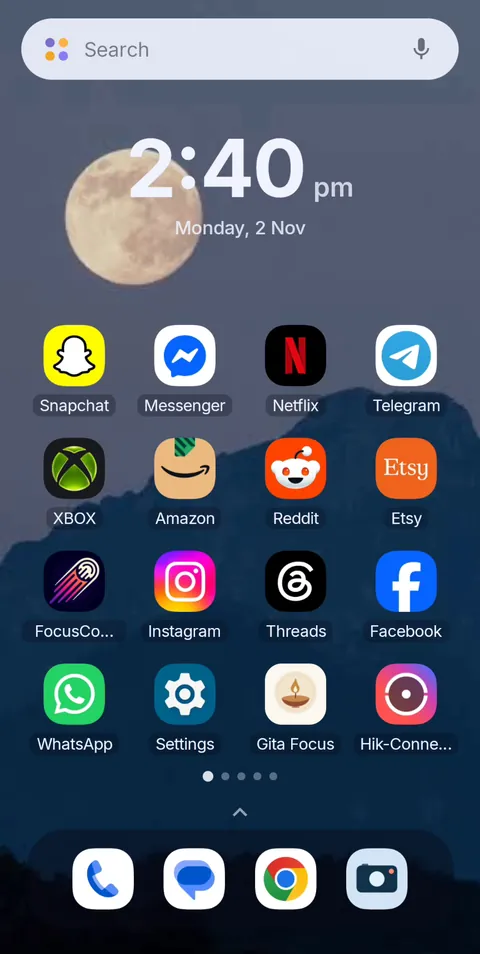 Before
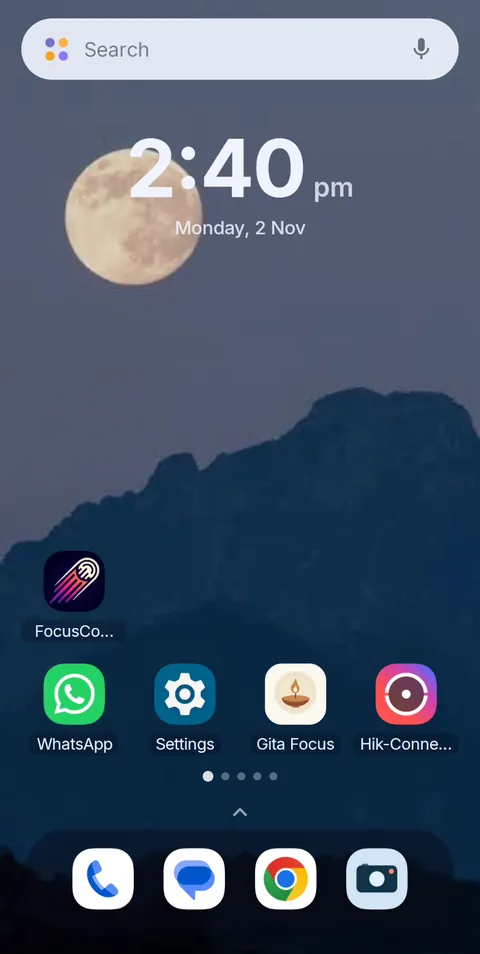 During Vanish Mode
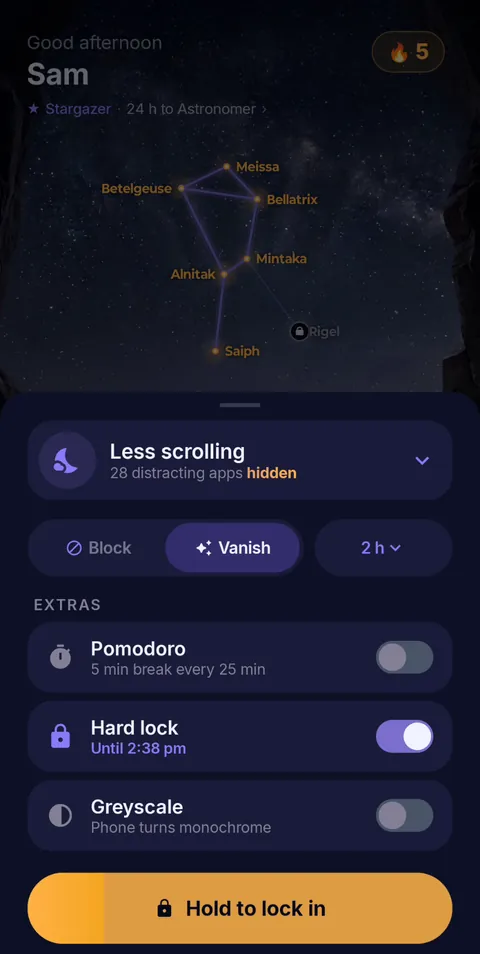 One screen, every mode
- ✦Vanish or Block. Make the apps disappear, or bounce you back the moment you tap one.
- ✦Pomodoro 25/5. Apps leave for every focus round and come back for the break, on their own.
- ✦Hard lock. Hold to lock in: no End button until the timer runs out.
- ✦Up to 12-hour sessions. One setup covers a whole study day.
- ✦Schedules. Block Mode starts by itself; Vanish Mode is one tap from the alert.
Nothing to tap. Nothing to resist.
FocusComet hides your distracting apps while you study and brings them back when you’re done. Free on Android.
Get it on Google PlayFAQ
How can I focus on my studies and avoid distractions?
Put your phone out of reach or hide its distracting apps, set one specific goal, and work in short timed rounds.
Why can’t I focus on studying?
Common causes are phone cues, vague goals, poor sleep and passive methods such as re-reading. If it’s persistent and affects your whole life, it’s worth talking to a doctor.
How can I focus on studies at home?
Pick one study spot, tell family your hours, keep the phone out of the session, and study at the same times each day.
What is the best app to focus on studies?
For Android, FocusComet hides distracting apps during a session, with optional Pomodoro breaks. Our students guide compares the options.