
How to stop phone addiction: a 14-day plan
You don’t want to be someone without a phone. You want to pick it up for a reason, put it down when you’re done, and stop losing evenings to it. That’s a habit problem, and habits change when you change what triggers them.
Don’t rely on self-control. Remove the triggers, make your worst apps hard to reach, replace the time with something real, and protect your nights. Fourteen days is enough to feel a clear difference.
Days 1 to 2: Measure and mute
Check your screen time and your pickups (Android: Settings › Digital Wellbeing). Don’t judge the number. Write it down. Then turn off every notification that isn’t from a real person.
Days 3 to 4: Clear the home screen
Move social apps off the first page, and consider a grayscale screen. Less colour makes everything a little less inviting.
Days 5 to 7: Take your worst apps away for set hours
Pick the two or three apps that take the most from you. For a block of each day, make them disappear. With FocusComet’s Vanish mode, they vanish from your home screen, drawer and dock during a session, and return after. Your reflex hits an empty space, and the urge passes faster than you’d think.
Days 8 to 10: Protect mornings and nights
Charge your phone away from your bed and buy an alarm clock if you need to. First and last scrolls often set the tone for your whole day and your sleep. More on stopping at night.
Days 11 to 12: Replace, don’t just remove
Your phone was filling a need: boredom, company, a break. Put something in its place. A paperback, a walk, a call with a friend, a five-minute stretch. If you only subtract, the habit returns.
Days 13 to 14: Lock in your rules
Decide your standing rules, such as no phone at meals and none in bed. Use schedules so that your focus hours run on cue. Then check your numbers again.
When you slip
You will, probably around day 6. A slip costs an evening. It only costs the plan if you decide it does. Restart at the next session. If you know a certain hour always beats you, use Hard lock, which removes the End button until the timer runs out.
Is it really “addiction”?
Phone addiction isn’t a formal diagnosis in most medical manuals, but the loss of control is real, and it can hurt sleep, work and relationships. Take our 12-sign self-check. If your use comes with distress you can’t shift, or it’s tied to low mood or anxiety, a therapist can help in ways no app can.
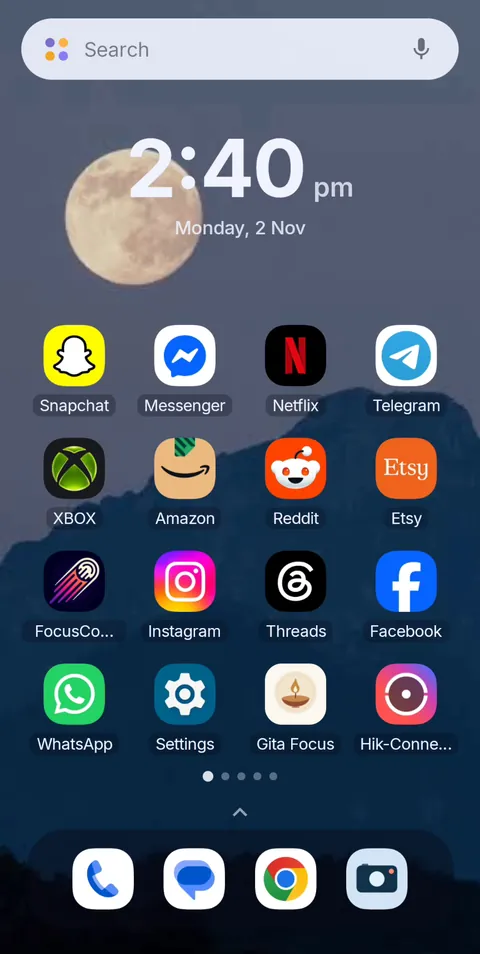 Before
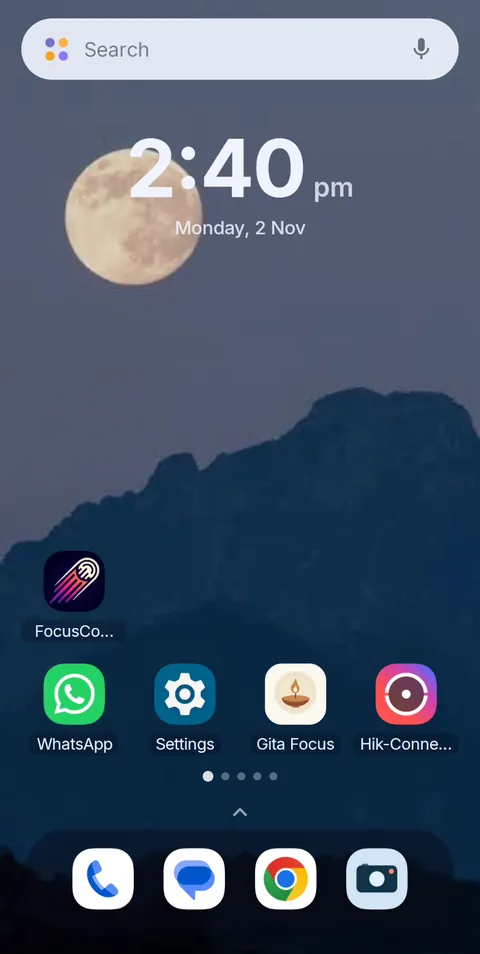 During Vanish Mode
Stop deleting Instagram. Make it disappear for a while.
FocusComet hides your worst apps during the hours that matter and returns them, untouched, afterward. Free on Android.
Get it on Google PlayFAQ
How do I stop my phone addiction?
Turn off non-human notifications, hide your worst apps for set hours, keep your phone out of the bedroom, and replace the scrolling with something real.
How long does it take to break phone addiction?
Many people notice a difference within two weeks, though a lasting change takes longer. Slips are normal.
Is there an app to stop phone addiction?
Yes. FocusComet removes distracting apps from your phone during focus sessions, so the reflex has nothing to land on.
Should I switch to a dumbphone?
It works for some people, but you lose maps, banking and messaging. Hiding the worst apps gets you much of the effect and keeps your phone useful.