
How to stop checking your phone so much
You unlock the phone, look at the home screen, lock it again, and can't say why. Most people check their phone dozens of times a day, and most of those checks find nothing new. That's not a lack of discipline. It's a loop your phone is built to keep running. Here is how to break it.
Constant checking is a cue → check → small reward loop. You break it by removing cues (badges, icons, buzzes), adding friction to the check, and giving your hands something else to do. The biggest single change is taking the most-checked apps off your home screen during the hours you want back, then letting them return later.
Why you keep checking
Every check is a tiny lottery. Most of the time there's nothing, but sometimes there's a like, a message or a new video. Rewards that arrive unpredictably are the strongest habit-builders we know, which is why the urge gets worse, not better, the more you check.
Three things keep the loop running:
- Cues: red badges, buzzes, the icon itself, or simply boredom.
- Zero effort: the reward is one unlock and one tap away.
- Nothing better in reach: the phone fills every three-second gap.
Each fix below targets one of these.
1. Count it for one day
Open Settings › Digital Wellbeing and look at “Unlocks” and “Notifications”. Seeing “97 unlocks” turns a vague feeling into a number you can beat. Don't change anything yet. Just look.
2. Kill the badges and buzzes
Turn off notifications for every app that isn't a real person or something time-critical. Then turn off notification dots in Settings › Notifications. Every badge you remove is a cue that can't fire.
3. Take the worst apps off your home screen
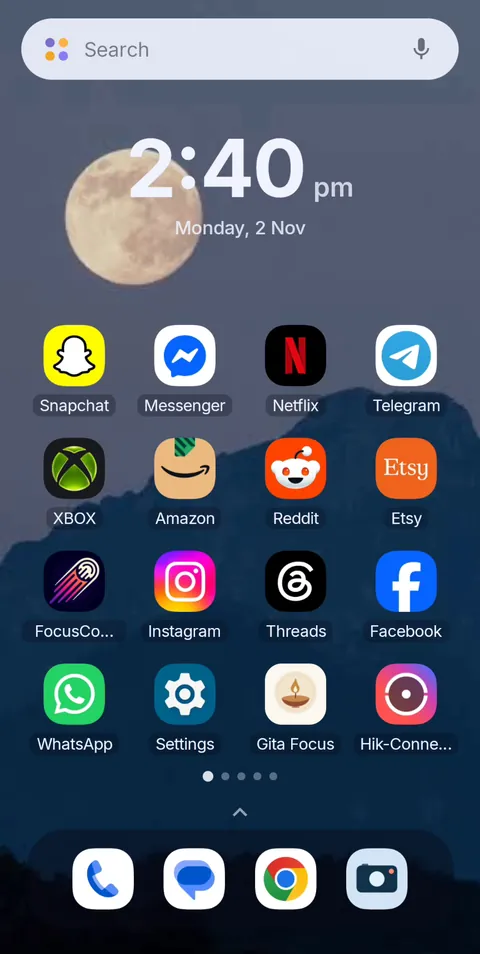
The icon is a cue too. Seeing Instagram on the home screen is enough to start the loop. Moving it to the app drawer helps a little. Making it disappear during your focus hours helps a lot.
That is what FocusComet's Vanish Mode does. The apps you choose leave your home screen, app drawer and dock for the session, then come back exactly where they were. Unlock the phone on autopilot and there's nothing to tap, so the check ends in a second instead of twenty minutes.
4. Add friction to the check
Log out of the apps you check most, so every visit starts with a password. Or use the browser version instead of the app. A few seconds of friction is often enough to let the urge pass.
5. Batch your checks
Give yourself set times to check: on the hour, or after each task. The urge becomes “not yet” instead of “never”, which is far easier to live with. A focus session with a timer makes this concrete. When it ends, the apps come back and you check everything at once.
6. Move the phone out of reach
At your desk, put the phone in a drawer or across the room. Most checks are reflexes, and reflexes don't walk.
7. Give your hands something else
Keep a book, a notebook or a glass of water where the phone used to sit. The gap needs filling; give it something that doesn't scroll. See apps to replace doomscrolling for phone-based options.
8. Turn on greyscale
A grey screen is far less rewarding to look at. We tested what grayscale actually does, and how to switch it on.
9. Make the hard hours non-negotiable
If you keep breaking your own rule at the same time every day, take the decision away. A schedule can start a session automatically, and FocusComet's Hard lock removes the End button until the timer runs out.
 Before
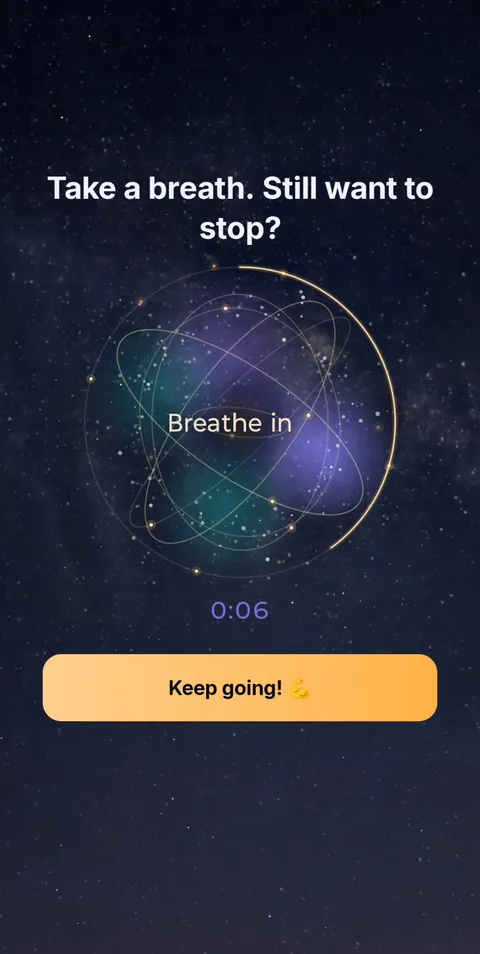 Quit early? Breathe first
Fewer cues, fewer checks
FocusComet hides the apps you check most during the hours you want back, then returns them untouched. Free Forever plan on Android.
Get it on Google PlayFrequently asked questions
Why do I keep checking my phone for no reason?
It's a habit loop: a cue such as boredom, a badge or the icon triggers a check, and occasional rewards like a new message keep it going. Removing cues and adding friction is more effective than relying on willpower.
How many times a day do people check their phone?
Estimates vary widely by study and method, but dozens of checks a day is typical. Your own number is in Digital Wellbeing under unlocks.
How do I stop checking my phone at work?
Silence non-human notifications, keep the phone out of reach, and hide your most-checked apps during work hours with an app like FocusComet. Check at set times, such as between tasks.
Is checking your phone a sign of phone addiction?
Frequent checking alone isn't a diagnosis. It's worth looking closer if it causes distress, harms your sleep or work, or you can't cut back when you try. Our phone addiction signs page has a quick self-check.
Do I have to delete apps to stop checking them?
No. Hiding apps during set hours removes the cue without losing your accounts, and the apps come back when the session ends.