
Grayscale phone on Android: does it work, and how to turn it on
Turning your phone black and white is one of the most popular tricks in digital minimalism. The idea is simple: apps use bright colour to grab your attention, so take the colour away and they lose some of their pull. It does help. But it's not a cure, and how you turn it on matters.
Grayscale makes feeds, badges and thumbnails less rewarding, and many people say it cuts mindless scrolling. It doesn't stop you opening anything. It works best as one layer: grey for the pull, plus hiding the apps you lose time to.
Why grayscale works (a bit)
Red notification badges, saturated thumbnails and colourful icons are designed to stand out. Without colour, the home screen looks like a utility, and videos look flat. Many people who try it say they put the phone down sooner, and some small studies have found reduced screen time in grayscale, though the evidence is limited.
Its limits
- It doesn't block anything. Every app still opens, and the habit loop of unlocking, tapping and scrolling still runs.
- It's annoying for real tasks: photos, maps and anything colour-coded.
- It's one toggle away. Most people switch it off within a week unless it turns on automatically.
How to turn on grayscale on Android
- Bedtime mode (most phones): Settings › Digital Wellbeing & parental controls › Bedtime mode › Customise › Greyscale. It turns on automatically at night.
- All day, through accessibility: Settings › Accessibility › Colour correction (on some phones: Colour and motion) and choose Greyscale. Exact names vary by phone.
- Samsung: Settings › Accessibility › Visibility enhancements › Colour adjustment, or add Greyscale to a mode in Modes and Routines.
- Quick toggle: on many phones you can add a Colour correction tile to Quick Settings.
Grayscale only during focus sessions
Grey all day is hard to live with. Grey during your focus hours is easy. FocusComet's Vanish Mode has an optional Greyscale switch. During a session, the FocusComet home screen turns grey while your distracting apps are hidden, then colour comes back when the session ends. It doesn't change any Android display setting, and the apps you allowed keep their colour.
Stack it with the things that actually block
- Greyscale to take the shine off the feed.
- Notifications off for everything that isn't a person.
- Your worst apps hidden during the hours you want back.
- A strict mode for the sessions you keep abandoning.
More on building the whole setup in our minimalist phone setup guide.
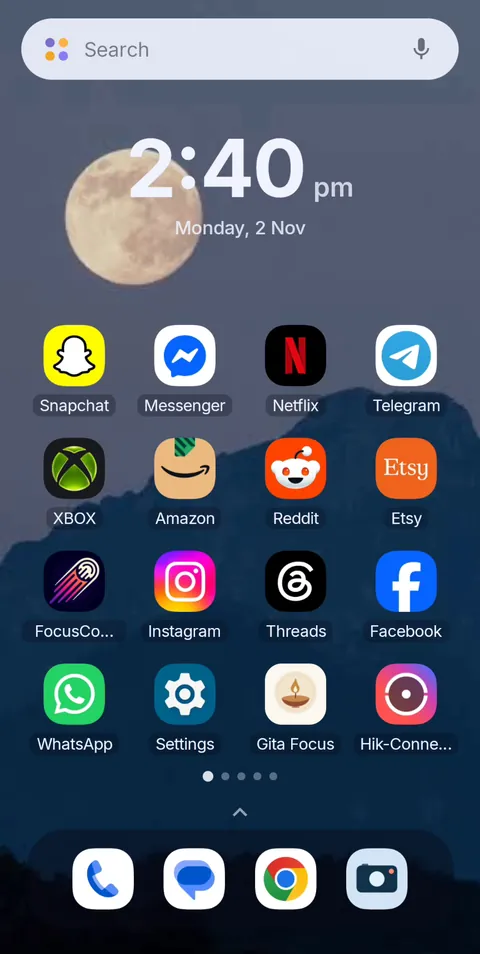 Before
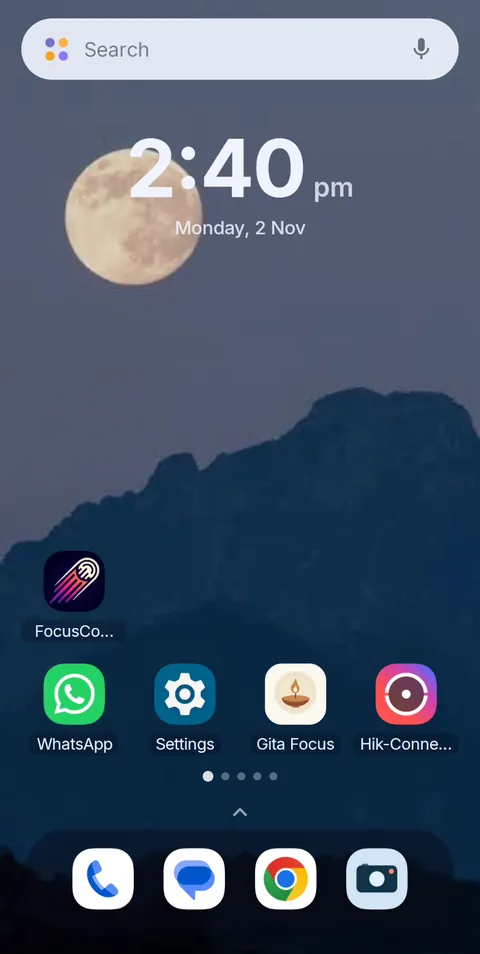 During Vanish Mode
A grey, quiet home screen while you focus
FocusComet hides your distracting apps for a session, and Vanish Mode can turn the home screen grey until the timer ends. Free Forever plan on Android.
Get it on Google PlayFrequently asked questions
Does grayscale reduce screen time?
For many people it helps a little, because feeds and badges become less attractive. It does not stop apps from opening, so it works best combined with hiding or blocking your most distracting apps.
How do I make my Android phone black and white?
Use Bedtime mode in Digital Wellbeing for automatic greyscale at night, or turn on Greyscale in Accessibility under Colour correction for all-day use. Samsung puts it under Visibility enhancements.
Is grayscale bad for your eyes?
There's no evidence that greyscale harms your eyes. It changes colour, not brightness, so adjust brightness separately for comfort.
Can I use grayscale only for certain apps?
Android's built-in greyscale applies to the whole screen. FocusComet's Vanish Mode greys only its own home screen during a session, while the apps you allowed keep their colour.