
Best Focus Apps for ATAR, HSC and VCE Study
Year 12 study is not one endless exam block. School assessments, revision, practice papers and feedback compete for the same afternoon. A good focus app gives each task a clean space—and keeps your phone from turning the gap between them into a scrolling session.
First, ATAR is a rank—not one national exam
Do not build your study plan around a fictional “ATAR paper”. Follow your state or territory’s qualification, subjects and assessment requirements. HSC and VCE students should use their own authority’s current materials; Queensland students should use QCAA resources. The phone-control strategy travels across systems, but paper formats do not.
Set up three Year 12 study modes
| Mode | Allow | Block or hide |
|---|---|---|
| Coursework and assessment | School portal, documents and required communication | Social feeds and games |
| Practice paper | Paper PDF or approved practice environment, clock if needed | Everything unrelated to that paper |
| Marking and feedback | Marking guide, teacher feedback and error log | Entertainment and unrelated chats |
Protect the after-school transition
Choose tomorrow’s first task before stopping tonight. Schedule an ordinary Block Mode session around the time you genuinely start, allowing for travel, food and sport. A schedule that starts while you are still on the train becomes something you routinely cancel.
Use Pomodoro for flashcards, definitions and getting unstuck. Switch to a normal longer block for a timed paper or extended response. For mock practice, use the current subject timing rather than a generic two-hour lock. Keep family calls, transport and school authentication available.
Do not turn a trial exam week into a 12-hour lockout
Long-session support is useful for maintaining rules through a study day. It is not a reason to study without breaks. Plan lunch, movement and the end of the day before choosing a duration. Test a selective profile first; reserve Hard lock for a window with a clear task and known essential apps.
Pick the app for the Year 12 problem you actually have
| Your problem | Shortlist | Why it fits |
|---|---|---|
| TikTok and Snapchat eat the after-school hours | FocusComet | The apps vanish for the session, then come straight back |
| You want detailed app and website rules | AppBlock or Stay Focused | Configurable schedules and strict modes |
| Assessment tasks need a planner | Focus To-Do or Engross | Tasks and timer side by side |
| You like a reward for showing up | Forest or FocusComet | Trees or a growing universe |
| You want a free first step | Android Digital Wellbeing | Built-in Focus mode on many phones |
Your Year 12 phone plan, from trials to finals
HSC and VCE written exams usually run through October and November, trial exams arrive in Term 3, and ATARs are released in December. Year 12 has a shape, and your phone setup should follow it.
Terms 1 and 2: schedule a session for straight after school so homework starts before the scroll does. Trials: sit each practice paper in one continuous session while Vanish Mode clears TikTok, Snapchat and games off your screens. October and November: switch to Allow-only and keep just your notes, the clock, transport and family contact, and use Hard lock for the evenings before your biggest papers.
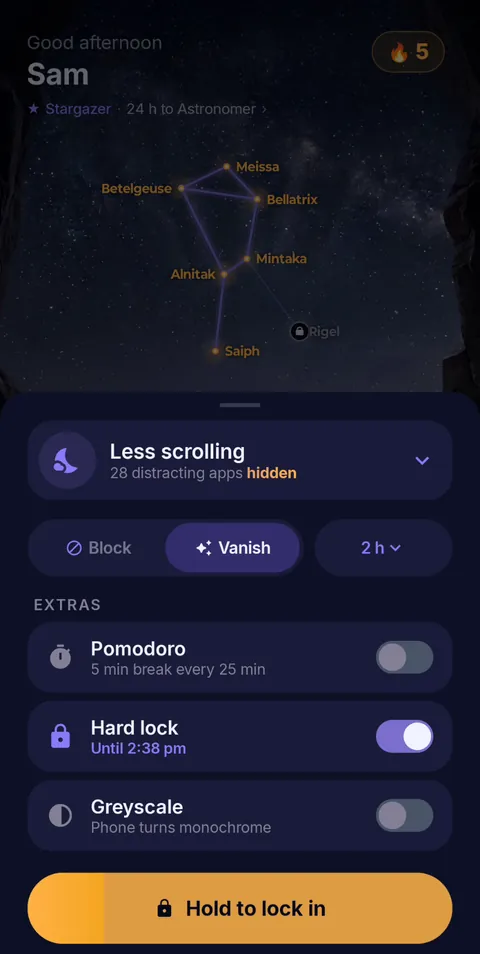 Hold to lock in
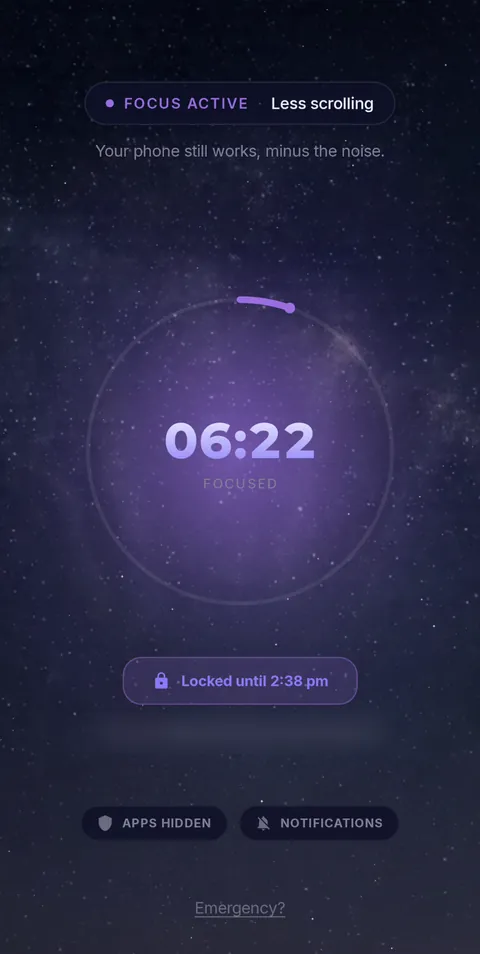 Locked until the timer ends
- Vanish Mode
- Pomodoro 25/5
- Hard lock
- Sessions up to 12 h
- Daily schedules
Frequently asked questions
What is the best Android focus app for HSC, VCE or ATAR study?
FocusComet when you open TikTok on autopilot: Vanish Mode clears it off your screens for the session. AppBlock or Stay Focused suit detailed website rules, and Focus To-Do suits task-led planning.
Should I use Pomodoro during a trial paper?
No. Sit trial and past papers at real timing in one go. Use 25/5 rounds for notes, quotes and practice questions.
Can I keep school apps and family contact available?
Yes. Hide only the distractions, or use Allow-only to keep a short list: calls, your school platform, notes and transport.
Sources and scope
Exam timing comes from NESA, VCAA and QCAA; app details come from each developer’s official pages. Checked November 2026.