
Best Focus Apps for NCEA Revision in New Zealand
NCEA revision gets easier to organise when every session names a subject, a standard and an output. “Study chemistry” is vague. “Attempt this past-paper section, mark it and correct two gaps” gives your focus app a job worth protecting.
Use the standard—not just the subject—as your unit
NZQA’s subject resources include past papers, exemplars and assessment material. Open the relevant resource before starting a block. Keep the assessment schedule or exemplar for the review stage, not as an excuse to check answers after every line.
Check the current standard and school guidance rather than assuming an older paper matches your assessment. For digital preparation, use NZQA’s familiarisation and past-assessment resources. A phone blocker does not replace a supported assessment device or the candidate rules.
Three profiles for an NCEA week
| Profile | Useful access | Focus output |
|---|---|---|
| Internal assessment | Documents, sources and school communication | One defined draft or correction |
| External revision | The chosen standard’s paper and notes | Attempt, mark, explain mistakes |
| Scholarship practice | Required advanced resources and a clock | Sustained reasoning, then review |
Stop the break from becoming the whole afternoon
Use 25/5 rounds for recall or a task you keep avoiding. Put the next question on the desk before the break starts. FocusComet returns selected apps during Pomodoro breaks, but that is permission to pause—not an instruction to open a feed. If scrolling consistently runs over, choose an off-screen break and leave the phone away.
For a complete paper, use a normal timed session with the current paper duration. Do not insert Pomodoro breaks into a mock that is meant to reproduce examination conditions. Keep transport, whānau contact and school authentication accessible before using a strict profile.
Pick the app for the NCEA problem you actually have
| Your problem | Shortlist | Why it fits |
|---|---|---|
| A quick Snapchat check turns into an afternoon | FocusComet | The apps disappear until the session ends |
| You want granular app and website rules | AppBlock or Stay Focused | Detailed schedules and strict settings |
| You juggle standards and deadlines | Focus To-Do or Engross | Tasks and timing in one app |
| Rewards keep you consistent | Forest or FocusComet | Trees or a growing universe |
| You want to start free | Android Digital Wellbeing | Built-in Focus mode on many phones |
Your NCEA year, from internals to November externals
NCEA external exams usually run through November into early December, practice exams land in Term 3, and internals are spread across the year. Results arrive in January. Plan your phone around that rhythm, not against it.
Internals: schedule a session for the same slot each school day so assessment work gets a protected hour. Practice exams: sit each one in a single continuous session while Vanish Mode clears TikTok, Snapchat and games off your screens. External season: use Allow-only for revision days, keeping just notes, NZQA past papers, the clock and whānau contact, and Hard lock for the evenings before each paper.
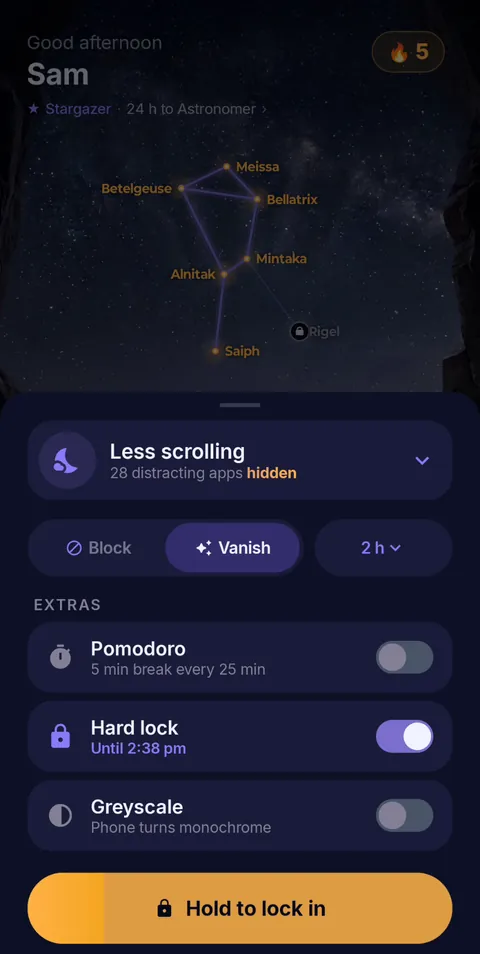 Hold to lock in
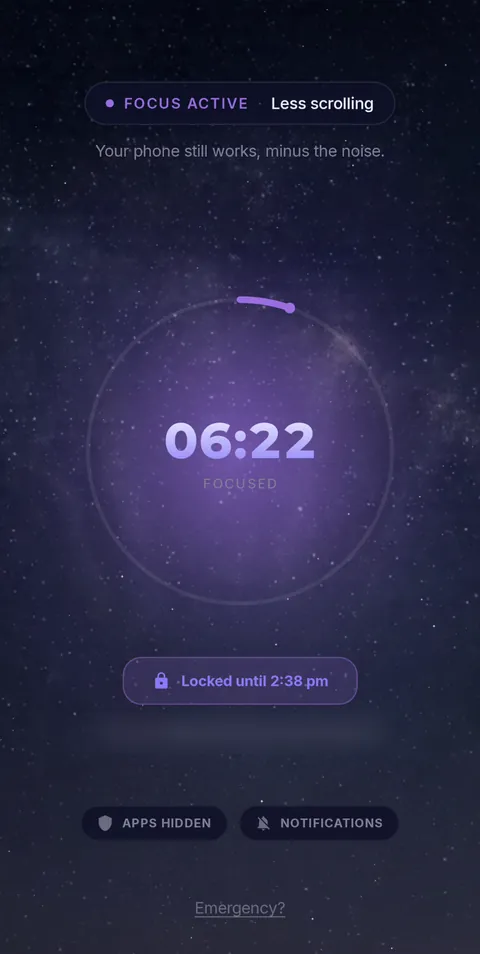 Locked until the timer ends
- Vanish Mode
- Pomodoro 25/5
- Hard lock
- Sessions up to 12 h
- Daily schedules
Frequently asked questions
What is the best Android focus app for NCEA revision?
FocusComet if your phone keeps winning: Vanish Mode clears the tempting apps off your screens for the session and returns them after. Compare AppBlock or Stay Focused for website rules, and Focus To-Do for task-led planning.
Should I use Pomodoro during a practice exam?
No. Sit practice exams at real timing in one session. Use 25/5 rounds for working through past papers question by question.
Can I keep NZQA resources and whānau contact while I study?
Yes. Hide only the distractions, or use Allow-only to keep your study tools, calls and transport.
Sources and scope
Exam details come from NZQA; app details come from each developer’s official pages. Checked November 2026.