
Best Focus Apps for GCSE, A-Level and UCAT Revision
GCSE revision, A-level past papers and UCAT drills do not need the same timer. They do need the same boundary: opening a question must not become opening TikTok. Build a revision phone that keeps the tools and removes the escape routes.
Match the app to the revision task
| Task | Phone setup | Timer choice |
|---|---|---|
| GCSE recall and vocabulary | Keep flashcards and school messages; hide feeds and games | 25/5 to get started |
| A-level problem sets and essays | Keep the specification, notes and past-paper PDF | A longer normal focus session |
| UCAT timed practice | Use the official practice environment; remove phone interruptions | Match the current section timing |
| Marking and reviewing errors | Allow the mark scheme and an error log | Short review block after each paper |
A revision evening you can repeat
Before school finishes, choose the exact task: one chemistry topic, one maths paper section or one essay plan. At home, open the file and select the distracting apps before starting the timer. Keep a parent or carer’s calls available if needed. Put the phone away when the task can be done on paper.
Start with 25/5 when avoidance is the problem. Once a past paper is under way, do not break its timing just to obey a productivity method. Finish the chosen section, mark it, and record the next correction. The output is corrected work, not a perfect timer streak.
UCAT needs its own profile
Do not copy an old online timing table into your plan. Check the current UCAT format and use official practice materials. Run a normal focus session around the practice window rather than inserting five-minute breaks between arbitrary chunks. Test question-bank access and any needed login before Hard lock.
A school revision profile can leave educational videos available. A UCAT mock profile should be narrower. FocusComet controls the whole YouTube app, not Shorts separately, so a browser-based lesson or downloaded permitted resource may be a cleaner choice.
Pick the app for the revision problem you actually have
| Your problem | Shortlist | Why it fits |
|---|---|---|
| Snapchat streaks and TikTok break every past paper | FocusComet | The apps disappear from your screens for the whole session |
| You want detailed app and website rules | AppBlock or Stay Focused | Schedules and strict controls you configure yourself |
| Your revision plan is a long task list | Focus To-Do or Engross | Tasks and a timer side by side |
| You need a visual reward | Forest or FocusComet | Trees or a growing universe for every finished session |
| You want a free first step today | Android Digital Wellbeing | Built-in Focus mode on many Android phones |
Your GCSE, A-level and UCAT calendar, phone included
GCSE and A-level exams usually run from mid-May to late June, mocks often fall around December or January, and UCAT is sat in a summer testing window. Three seasons, three phone setups.
Mock season: schedule a session for straight after school so Snapchat never gets the first hour. Study leave: stack three or four long sessions a day and let Vanish Mode wipe your feeds off the home screen, app drawer and dock until each one ends. UCAT summer: run each practice set in a single uninterrupted block, then a short 25/5 round for review. When a paper is the next morning, Hard lock removes the End button so the night stays yours.
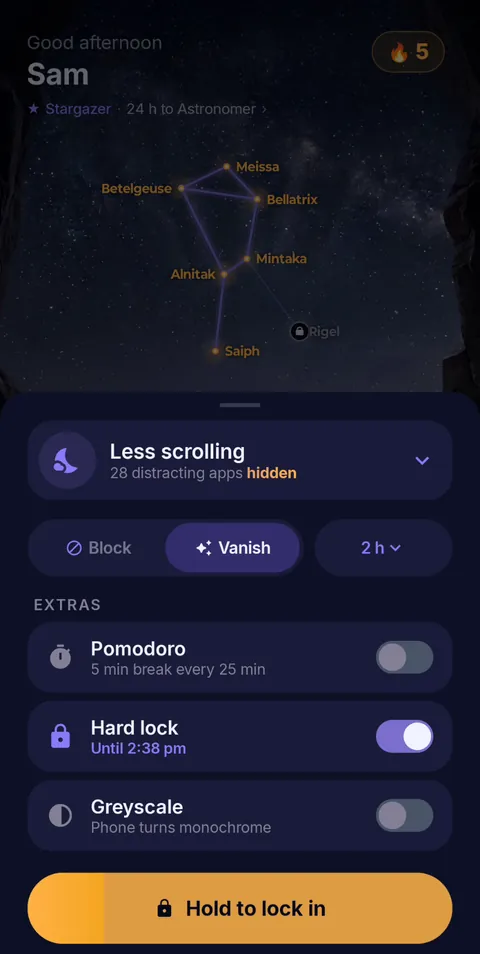 Hold to lock in
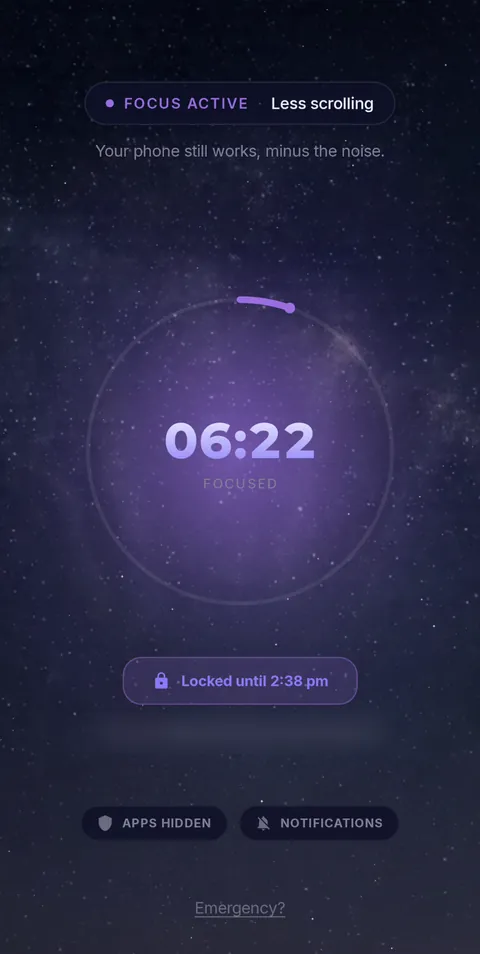 Locked until the timer ends
- Vanish Mode
- Pomodoro 25/5
- Hard lock
- Sessions up to 12 h
- Daily schedules
Frequently asked questions
What is the best Android focus app for GCSE, A-level or UCAT revision?
For the student who opens Snapchat without thinking, FocusComet: Vanish Mode takes the app off your screens for the session. For detailed website rules, compare AppBlock or Stay Focused; for task-led planning, Focus To-Do.
Should I use Pomodoro during a full past paper or UCAT mock?
No. Sit full papers and UCAT mocks at real timing in one continuous session. Use 25/5 rounds for flashcards, topic notes and reviewing mistakes.
Can I keep my revision apps and calls while blocking the rest?
Yes. Choose only the apps that distract you, or switch to Allow-only and keep a short list: calls, your revision platform, notes and the clock.
Sources and scope
Exam timing comes from the exam boards and UCAT; app details come from each developer’s official pages. Checked November 2026.