
Best Focus Apps for Singapore O-Level and A-Level Revision
School, tuition, travel and revision leave little room for a lost evening. Your focus setup should start quickly, keep learning tools available and stop a short message check from turning into a feed session.
Do not treat every paper as the same task
O-Level and A-Level revision includes very different work: subject recall, extended responses, practical preparation and timed papers. Follow the current SEAB syllabus and timetable for your candidature. Qualification names and arrangements can change by cohort; your school and SEAB—not a blog—are the authority.
Build a tuition profile and a paper profile
| Profile | Allow | Remove |
|---|---|---|
| Tuition and homework | Class platform, teacher messages and required files | Games, feeds and unrelated notifications |
| Timed paper | The paper or practice platform and essential clock | All unrelated phone use |
| Review | Mark scheme, notes and error log | Entertainment recommendations |
Make travel time a small, defined session
On the MRT or bus, choose recall, vocabulary or reviewing an error log rather than pretending every journey is a full mock. Keep transport and family contact accessible. Download the needed material, start a short ordinary block and stop when the journey requires attention.
At home, use a fixed 25/5 round when starting is difficult. Use a normal continuous session for timed papers. During breaks, stand up or get water instead of opening the app that caused the original problem. Check current examination rules before any formal assessment; these setups are for preparation.
Pick the app for the distraction that actually beats you
| Your problem | Shortlist | Why it fits |
|---|---|---|
| Telegram and TikTok swallow the evening after tuition | FocusComet | The icons are gone for the session, so there is nothing to tap |
| You want granular app and website rules | AppBlock or Stay Focused | Rule-based blocking with detailed schedules |
| Your revision timetable lives in a task list | Focus To-Do or Engross | Timer and planner in one place |
| You need a reward to keep going | Forest or FocusComet | Grow trees, or grow your own universe with every session |
| You just want a free first step | Android Digital Wellbeing | Built-in Focus mode is already on many phones |
Your O-Level and A-Level season, phase by phase
The main GCE written papers land in October and November, with Mother Tongue papers and some practicals earlier in the year. That gives you a predictable arc: steady term-time revision, prelims in August and September, then the real thing. Set your phone up for each stretch instead of fighting it every night.
Term time: schedule a FocusComet session for the hour after tuition, so the evening starts before the scroll does. Prelims: switch to one long, uninterrupted session per paper and let Vanish Mode clear games and feeds off your home screen, app drawer and dock. The final six weeks: flip to Allow-only, keep just your notes, the clock, transport and family contact, and turn on Hard lock for the evenings you refuse to lose. Every app comes back the moment the timer ends.
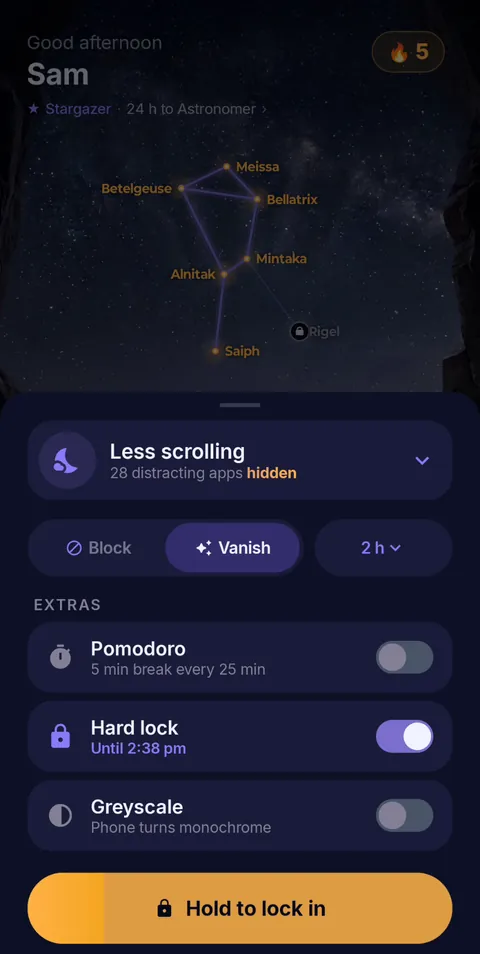 Hold to lock in
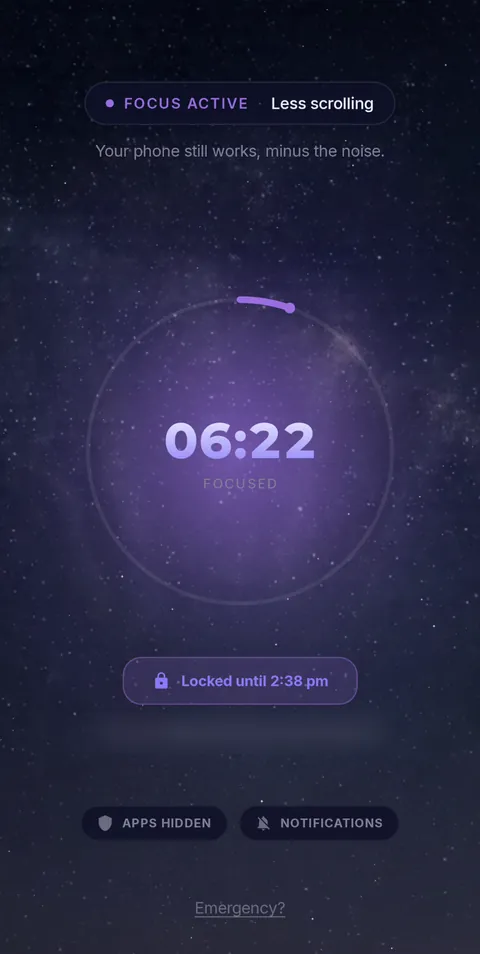 Locked until the timer ends
- Vanish Mode
- Pomodoro 25/5
- Hard lock
- Sessions up to 12 h
- Daily schedules
Frequently asked questions
What is the best Android focus app for Singapore O-Level or A-Level revision?
If one tap on Telegram or TikTok keeps costing you an evening, FocusComet: Vanish Mode clears those apps off your phone screens for the session and brings them back when it ends. If you want detailed website rules, look at AppBlock or Stay Focused; for a task-led timetable, Focus To-Do.
Should I run Pomodoro during a prelim paper?
No. Sit timed papers in one continuous session at the real paper length and save the 25/5 rhythm for topic revision and error-log review.
Can I keep my school platform and family contact while I revise?
Yes. Hide only the apps that pull you away, or use Allow-only to keep a short list such as your school platform, calls, transport and notes, and nothing else.
Sources and scope
Exam timing comes from SEAB; app details come from each developer’s official pages. Checked November 2026.