
Block App Notifications While Studying on Android
You do not have to open Instagram for Instagram to interrupt you. A banner, vibration or badge can be enough. Study mode needs two decisions: which apps you can open, and which apps can reach you.
Three controls that are not the same
| Control | What it changes | Use it when |
|---|---|---|
| Do Not Disturb | Interruptions, with configurable exceptions | You need broad quiet with selected people allowed |
| App blocking | Whether selected apps can be opened | Automatic checking is the main problem |
| Per-app notification pause | Notifications from chosen apps | Some tools must stay active while others go silent |
Start with the built-in tools
Open your Android notification and Do Not Disturb settings and check the exceptions that matter. Names and locations vary by device. Keep essential calls or alarms available, then test with a normal short session. Android Focus mode can pause chosen apps and their notifications; compare that with what you need before adding another tool.
Do not confuse silent delivery with notification removal, or a blocked app with guaranteed silence. Check both behaviours on your actual phone: send a test message, observe the lock screen and try opening the selected app.
When an app-specific blocker is useful
FocusComet gives you both tools. Session Do Not Disturb quiets the whole phone while you work, and per-app notification pause silences only the apps you choose, so a group chat goes quiet while your class platform can still reach you.
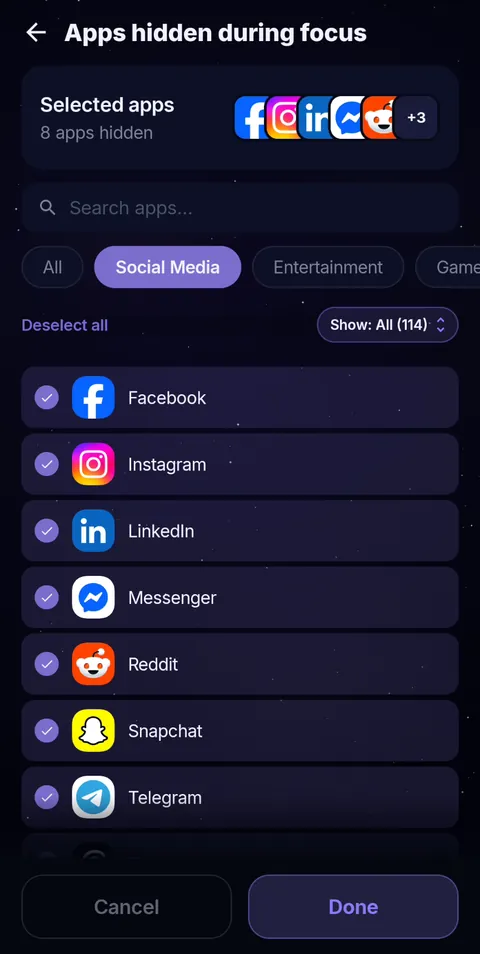 Pick the apps
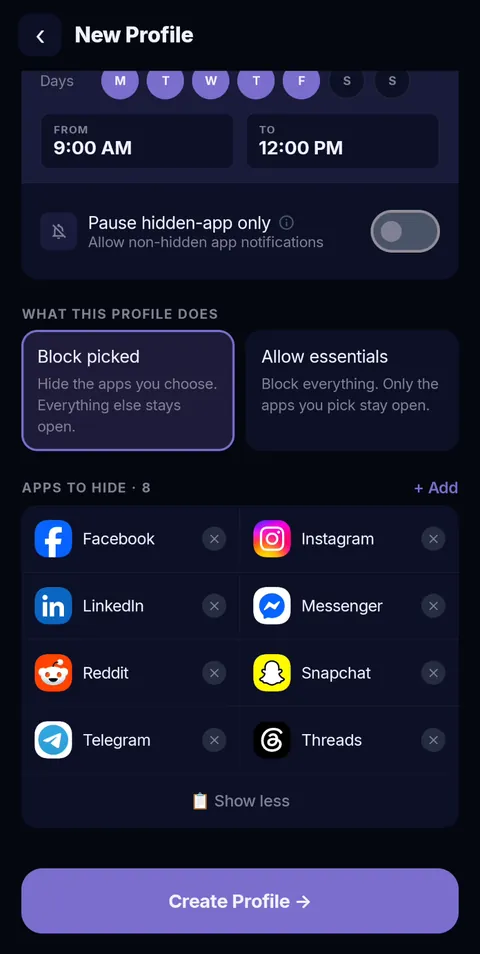 Schedule it
AppBlock’s Android help also documents notification blocking and a configuration that blocks notifications without blocking launches. If that is your need, compare current setup and plan limits. Stay Focused is another rule-based option to evaluate. Keep the Android and iPhone feature sets separate when checking documentation.
A practical online-class profile
- Allow the lesson platform, notes and the school’s required authentication.
- Keep only the communication channel needed during class.
- Pause entertainment and shopping notifications.
- Block or hide the apps you open reflexively.
- Test the lesson audio and important calls before class starts.
During Pomodoro breaks, app access and notification restoration are separate behaviours. FocusComet explicitly returns selected apps during the five-minute break; test notification behaviour with your chosen mode instead of assuming every notification setting resets at the same moment.
Frequently asked questions
Can I block notifications but still open an app?
Yes. Android’s own notification settings and some blockers, including AppBlock, can silence an app without blocking it. Test it on your phone before a big study day.
Can FocusComet silence notifications during a session?
Yes. Turn on Do Not Disturb for the session, or pause notifications app by app so only the noisy ones go quiet.
Will important calls still get through?
They can. Set your Android Do Not Disturb exceptions for the people who must reach you, then test with a short session.
Sources and scope
Built-in Android features come from Google’s help pages; app details come from each developer’s official pages. Checked November 2026.