
Engross Alternatives for Pomodoro and App Blocking on Android
Engross pairs a Pomodoro timer or stopwatch with a to-do list and a day planner. It is great at telling you what to work on. If your phone still wins the moment the timer starts, you need something that controls the phone, not another planner.
Choose the workflow you actually need
| Need | Better starting point | Why |
|---|---|---|
| Time management and tasks | Engross or Focus To-Do | Compare the exact planning and timing options you use |
| Temporary app hiding | FocusComet | Selected apps disappear during the session |
| Detailed app and website rules | AppBlock or Stay Focused | Check the current Android configuration |
| Custom 50/10 or 90-minute rounds | A timer with editable intervals | FocusComet’s automatic Pomodoro is fixed 25/5 |
Test the break, not just the focus timer
Don't judge a Pomodoro app by its focus timer. Judge it by the break. Run one full cycle. Does the next round begin automatically? Do selected apps return? Does the phone stay quiet? A timer screenshot cannot answer those questions.
Engross’s official site is the source for its current feature set. Do not assume every platform or tier has identical blocking behaviour. Compare what your installed Android version actually does before moving a working setup.
When FocusComet is the better kind of different
If seeing the icon leads to opening it, Vanish Mode addresses that trigger directly. Your apps remain installed and return when the session ends. In fixed 25/5 Pomodoro, they return during the break and are restricted again in the next focus period.
If your study method depends on custom intervals, keep a timer that supports them. FocusComet can run a longer normal focus session, but that is not an automatic custom 50/10 cycle. Clear distinctions make the comparison useful—and stop you paying for the wrong feature.
What Engross does well, and where it stops
Engross lets you attach a timer or a stopwatch to a task or calendar event, tag sessions with labels and review the statistics afterwards. Tasks get reminders and flexible repeats, and the planner holds classes, study blocks and breaks in one view. Its paid tier adds session notes, richer statistics and an app whitelist.
What a planner cannot do is make Instagram less tempting. A running timer happily keeps counting while you scroll. If your plan is solid but you keep picking up the phone anyway, the fix is on the home screen, not in the task list.
Why students switch to FocusComet
FocusComet goes after the moment before the tap. Start a session and Vanish Mode clears the apps you chose off your home screen, app drawer and dock. No icon, no reflex, no “just one minute”. Prefer to see a boundary? Block Mode keeps the icons and sends every attempt straight back to your session.
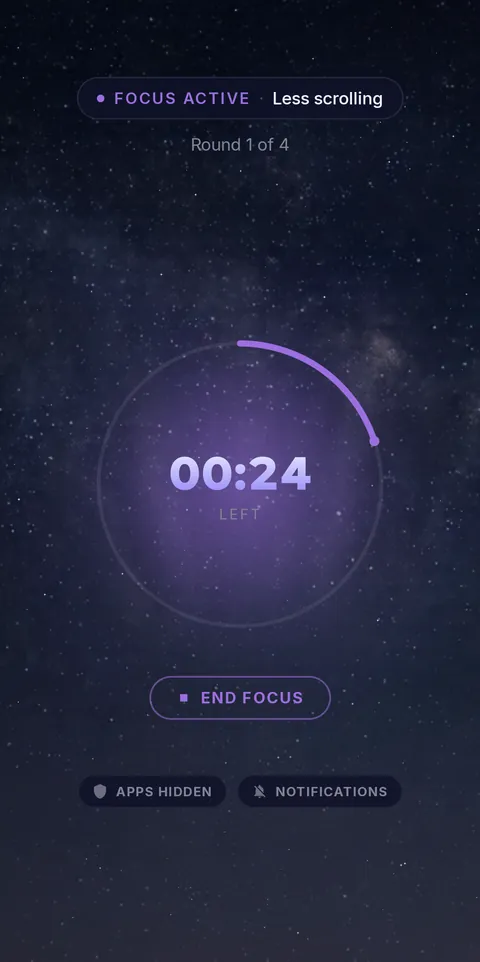 Focus round: apps gone
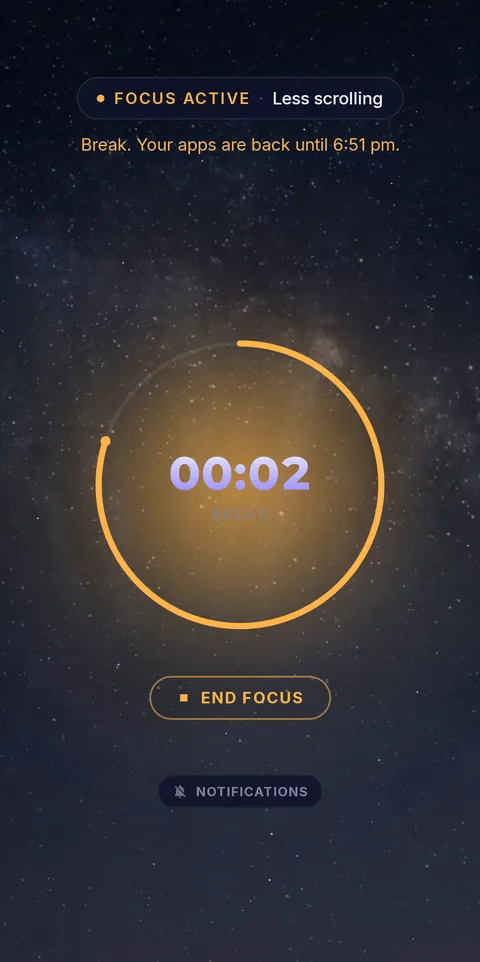 Break: apps back
Pomodoro is built in: 25 minutes of focus, 5 minutes of break, with your apps coming back for each break and vanishing again for the next round, all on its own. Need a session with no way out? Hard lock removes the End button until the timer runs out. Keep Engross for planning if you love it, and let FocusComet guard the hours you planned. See everything FocusComet does.
Frequently asked questions
Is FocusComet a replacement for Engross?
It replaces the part Engross cannot do: keeping distracting apps out of reach while you work. Many students keep a planner for the schedule and use FocusComet to protect each session.
Does FocusComet have a Pomodoro timer?
Yes. A 25/5 Pomodoro cycle is built in, and your selected apps come back during each break and disappear again for the next round automatically.
Sources and scope
Engross details come from its official site and Google Play listing; FocusComet details come from our own feature page. Checked November 2026.