
Focus To-Do Alternatives with App Blocking on Android
Focus To-Do combines Pomodoro with tasks. If your list is organised but Instagram still wins, the missing feature may be distraction control—not a better task list.
Choose the workflow you actually need
| Need | Better starting point | Why |
|---|---|---|
| Tasks and Pomodoro together | Focus To-Do | Keep it when planning is already working |
| Tasks and flexible timing | Engross | Compare its current timer and planning options |
| Apps disappearing during focus | FocusComet | Control the temptation before opening it |
| App and website rules | AppBlock or Stay Focused | Compare the specific blocking configuration |
Do not confuse a running timer with a controlled phone
A timer can continue while you leave the task. When comparing apps, check whether the app only tracks focus, warns when you switch, blocks selected launches or removes icons. These are different levels of control. Test the feature rather than inferring it from “focus” in the name.
Focus To-Do’s official site presents time and task management. Keep it if tasks, projects and planning are your main need. A switch should solve the failure you actually experience.
What you gain—and give up—with FocusComet
You gain temporary app hiding, Block Mode and an optional Hard lock around the session. Pomodoro automatically alternates fixed 25-minute focus and five-minute breaks, restoring selected apps for the break.
You are not replacing a full task manager. Keep your assignments somewhere simple and use FocusComet to protect the chosen work. If custom focus intervals or a sophisticated task system are essential, do not pretend fixed 25/5 is equivalent. Choose the right tool or deliberately separate planning from phone control.
What Focus To-Do does well, and where it stops
Focus To-Do is a Pomodoro timer wrapped around a capable task manager: projects, due dates, reminders, subtasks and repeating tasks, plus reports on where your focus time went. It runs on Android, iPhone, Windows, Mac and the browser, and its paid tier adds sync across those devices and deeper statistics.
That makes it excellent at answering “what next?”. It does far less to stop you opening TikTok halfway through a round. If your tomato timer keeps finishing while you are on Instagram, the gap is phone control.
Why people pair or replace Focus To-Do with FocusComet
FocusComet turns a focus round into a phone that is actually quiet. Vanish Mode clears the apps you pick off your home screen, app drawer and dock for the session, and Block Mode bounces you back if you try to open them. Your apps return for each five-minute break and vanish again for the next 25 minutes, without you touching a thing.
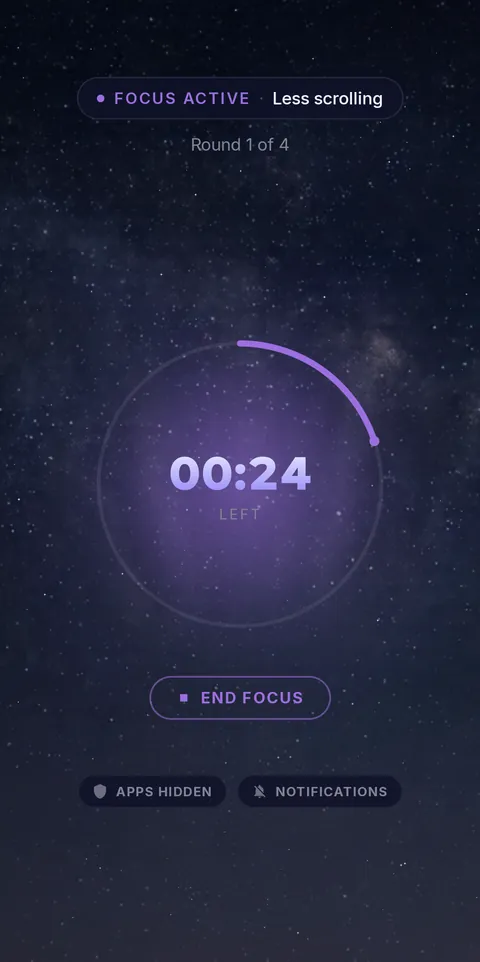 Focus round: apps gone
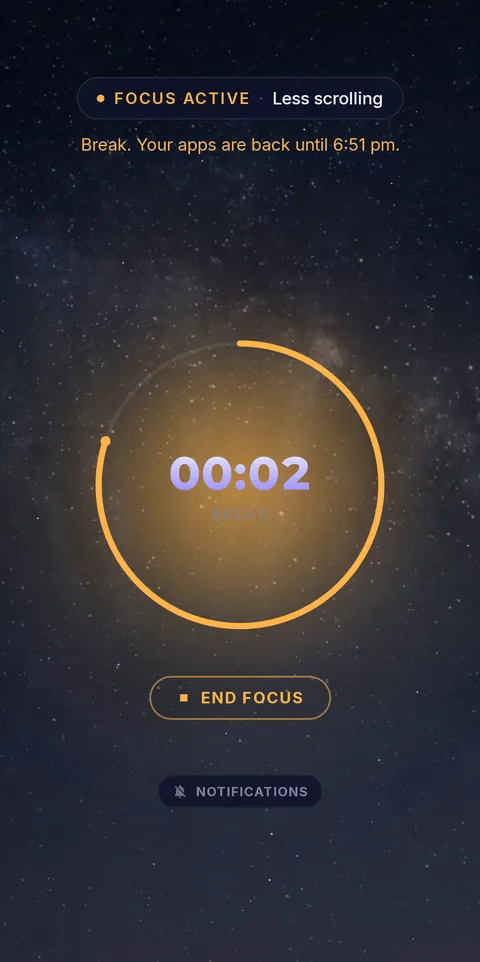 Break: apps back
Add a daily schedule so the session lines itself up, mute the noisiest apps for the session, and use Hard lock when you want no exit at all. Keep your task list wherever it works best. See everything FocusComet does.
Frequently asked questions
Can FocusComet replace Focus To-Do?
For phone control, yes: FocusComet hides or blocks the apps that break your rounds. For detailed task management, keep a task app and let FocusComet protect the sessions.
Does FocusComet block apps during Pomodoro breaks?
No, and that is the point: your apps come back for the five-minute break and disappear again for the next focus round automatically.
Sources and scope
Focus To-Do details come from its official site and app store listings; FocusComet details come from our own feature page. Checked November 2026.