
Lock Me Out Alternatives for Android: Strict Mode Compared
Lock Me Out is designed around rules and lockouts. A useful alternative must replace the rule you rely on—or offer a different way to stop the same distraction.
Choose the workflow you actually need
| Need | Better starting point | Why |
|---|---|---|
| Scheduled or usage-triggered lockouts | Lock Me Out | Keep a working automation rather than rebuilding it blindly |
| Complex website and app control | AppBlock or Stay Focused | Compare current strict and schedule behaviour |
| A deliberately started study block | FocusComet | Hide apps, optionally use Pomodoro and manually choose Hard lock |
Start by identifying the trigger
TEQTIC describes Lock Me Out as blocking apps and websites based on rules you create. If the rule reacts to your usage, a manually started focus session is not a one-for-one replacement. Write down when the restriction should begin and when you should regain access.
Do not choose purely by the phrase “hardest to bypass”. Configuration, permissions and the Android device matter. Check emergency access and the ability to reach necessary tools before testing any strict control.
A timer-led alternative
FocusComet suits a different commitment: choose the distractions, choose a duration and begin. Vanish Mode removes selected icons rather than waiting for an app-opening attempt. Hard lock removes the End button and blocks Android Settings until the session ends.
Hard lock does not automatically start with scheduled sessions. If your requirement is an unattended locked routine, that limitation matters. If your requirement is a conscious mock-test commitment, manual activation can be the clearer workflow. Keep calls, transport and authentication available in both cases.
What Lock Me Out does well
Lock Me Out, from TeqTic, is built for lockouts: quick buttons for 15 minutes to 3 hours, lock-until-a-time, scheduled distraction-free windows and usage-based limits, plus app and website blocking. It uses Android’s Device Administrator permission to enforce the lock, and its paid tier adds allowed apps during a lockout and full screen-off lockouts.
That is a heavy hammer. Locking the whole phone is great for sleep and terrible when you need your notes, your calculator or a call from home in the middle of study.
Why people switch to a smarter lock
FocusComet locks out the distractions, not the phone. Vanish Mode clears the apps you pick off your home screen, app drawer and dock while your study tools, calls and maps stay one tap away. Allow-only flips it around and keeps just the short list you need.
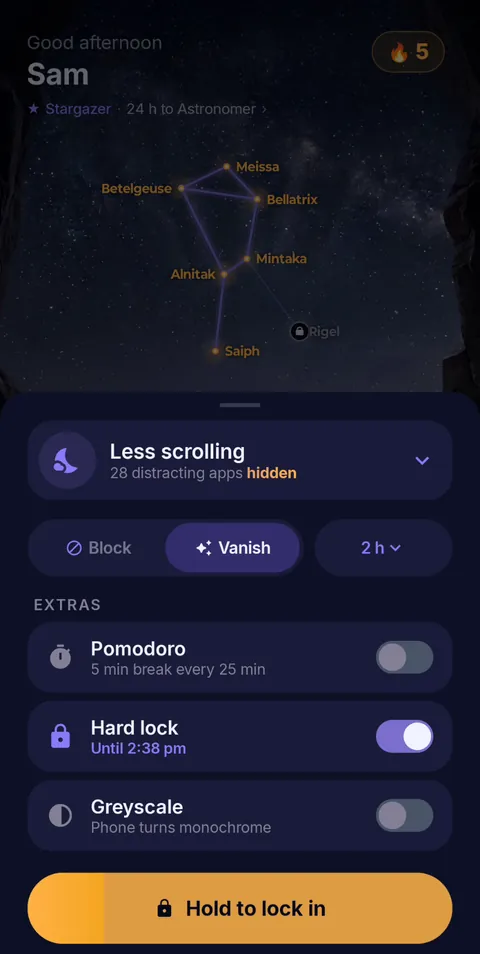 Hold to lock in
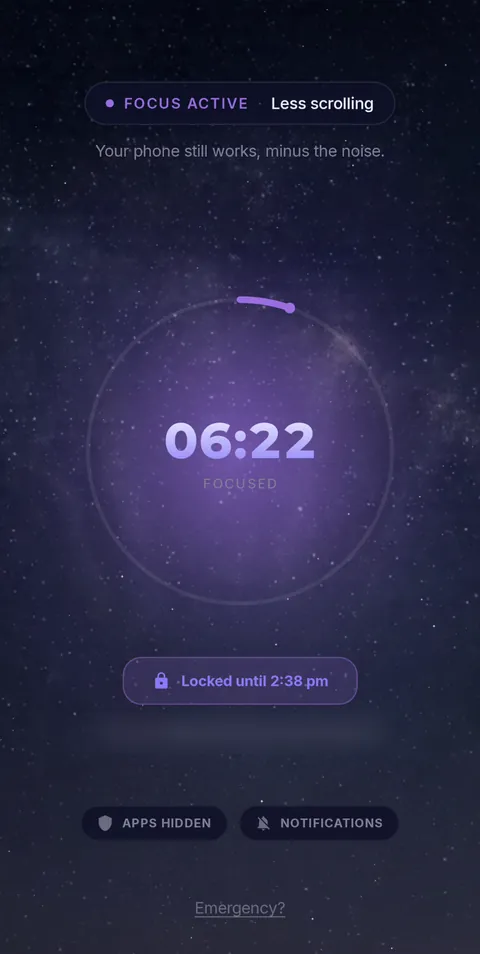 Locked until the timer ends
When you want the hard version, Hard lock removes the End button and blocks Android Settings until the timer runs out. Schedules line sessions up for you, and every app comes back the moment the session ends. See everything FocusComet does.
Frequently asked questions
Is FocusComet as strict as Lock Me Out?
Hard lock is built for no-exit sessions: it removes the End button and blocks Android Settings until the timer ends. The difference is that your essential apps can stay available.
Can FocusComet lock my phone on a schedule?
Yes. Set a daily schedule and Block Mode sessions start on their own; Vanish Mode sessions start with one tap from the alert.
Sources and scope
Lock Me Out details come from TeqTic’s official page and Google Play listing; FocusComet details come from our own feature page. Checked November 2026.